Want to know how well your website is optimized for Google? A free SEO checker can help you identify important on-page, technical, and content-related SEO issues before they affect your search visibility.
Whether you run a business website, blog, eCommerce store, portfolio, or WordPress website, checking your SEO regularly can help you understand what is working and what needs improvement.
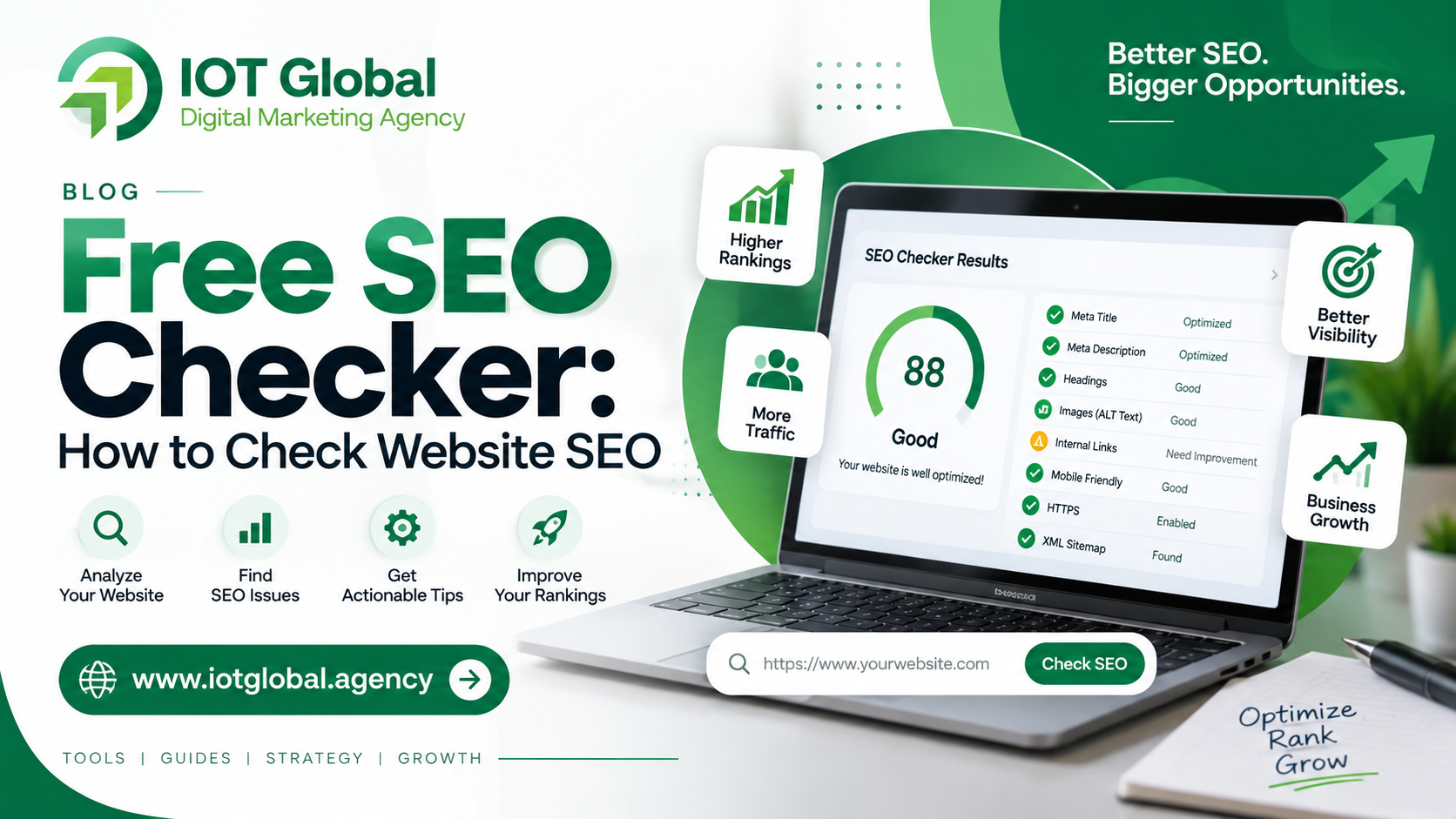
Instead of checking dozens of SEO factors manually, you can use the Free SEO Checker by IOT Global to analyze your website and identify common SEO issues in one place.
In this guide, you’ll learn what an SEO checker does, how to check your website SEO, which SEO factors you should look at, and how to improve your website’s overall SEO health.
What Is a Free SEO Checker?
A free SEO checker is an online tool that analyzes different elements of a website that can affect its search engine visibility.
Depending on the tool, an SEO check can examine factors such as:
- SEO title
- Meta description
- Heading tags
- Keyword usage
- Image ALT attributes
- Internal links
- External links
- Canonical URL
- Robots.txt
- XML sitemap
- HTTPS
- Open Graph tags
- Structured data
- Indexability
- Technical SEO elements
An SEO checker doesn’t guarantee that a website will rank at the top of Google. Search rankings depend on many factors, including content quality, relevance, technical accessibility, competition, links, and the overall usefulness of a page.
However, an SEO checker can be a useful starting point for identifying problems that you can fix.
How to Check Your Website SEO for Free
You don’t need to be an SEO expert to perform a basic website SEO check.
Step 1: Open a Free SEO Checker
Go to the IOT Global Free SEO Checker.
Enter the complete URL of the website or webpage you want to analyze.
For example:
https://example.com/
Make sure you enter the correct URL, including HTTPS if the website uses a secure connection.
Step 2: Start the SEO Check
Submit your website URL and allow the tool to analyze the page.
The checker can examine multiple SEO elements and highlight areas that may require attention.
Step 3: Review Your SEO Results
Don’t focus only on the overall SEO score.
A useful SEO audit should help you understand why a page has problems and what you can do to fix them.
Look at individual areas such as title tags, meta descriptions, headings, images, links, technical settings, and indexing-related elements.
Step 4: Fix the Most Important Issues First
Not every SEO issue has the same importance.
Start with problems that can affect how search engines understand or access your page.
For example:
- Make sure important pages can be crawled and indexed.
- Write a clear and relevant title.
- Add a useful meta description.
- Use a logical heading structure.
- Add descriptive ALT text to important images.
- Improve internal linking.
- Check canonical URLs.
- Make sure your website uses HTTPS.
- Check your XML sitemap and robots.txt.
- Improve the actual content on the page.
After making changes, test the page again.
What Does an SEO Checker Check?
A good website SEO checker should look beyond a single score.
Here are some of the most important SEO elements you should review.
1. SEO Title
The title tag helps search engines and users understand what a webpage is about.
A good SEO title should:
- Clearly describe the page
- Match the search intent
- Include the primary topic naturally
- Be unique
- Encourage users to click without making misleading claims
For example, instead of:
Home | IOT Global
a relevant page targeting the free SEO checker topic could use something like:
Free SEO Checker – Check Your Website SEO
The title should accurately represent the page rather than simply repeating keywords.
2. Meta Description
The meta description provides a short summary of a webpage.
Although it isn’t simply a direct ranking score, a useful description can help users understand what they’ll find on the page.
For example:
Check your website SEO with a free SEO checker. Find common on-page and technical SEO issues and get actionable recommendations to improve your website.
Your description should be written for people first.
3. Heading Structure
Headings help organize your content.
A well-structured page generally has:
- One clear main topic
- A descriptive H1
- Relevant H2 sections
- H3 headings where additional structure is useful
For example:
H1: Free SEO Checker: How to Check Website SEO
H2: What Is a Free SEO Checker?
H2: How to Check Your Website SEO
H2: What Does an SEO Checker Check?
H2: How to Improve Your Website SEO
This structure makes long content easier to understand.
4. Keyword Usage
Keywords help describe what a page is about, but they should be used naturally.
For this topic, related phrases may include:
- free SEO checker
- website SEO checker
- SEO checker online
- check website SEO
- SEO audit tool
- SEO analysis tool
- website SEO audit
- SEO score checker
- on-page SEO checker
You don’t need to repeat the exact keyword in every paragraph.
Google’s guidance also cautions against unnecessary keyword repetition that doesn’t add value.
Instead, create comprehensive content around the user’s actual questions.
5. Image ALT Text
Images can also contain useful information for search engines when they have descriptive alternative text.
For example, an image showing an SEO audit dashboard could have ALT text such as:
Free SEO checker website audit results
Avoid stuffing keywords into ALT attributes when they don’t accurately describe the image.
6. Internal Links
Internal links connect different pages on your website.
For example, an SEO article about meta tags could link to:
Free SEO Checker
Another article about technical SEO could link to your SEO audit tool.
Internal linking can help users discover related content and can also help search engines understand relationships between pages.
7. Canonical URL
A canonical URL helps indicate the preferred version of a webpage when similar or duplicate URLs exist.
For example, these URLs can potentially represent different URL versions:
https://example.com/page/
https://example.com/page
https://www.example.com/page/
Your website should have a consistent URL structure and appropriate canonicalization.
8. Robots.txt
The robots.txt file provides crawling instructions for search engine bots.
You should check that important pages aren’t accidentally blocked.
For example, if your main service or SEO tool page is unintentionally blocked from crawling, that can create SEO problems.
However, robots.txt is not a replacement for controlling whether a page should appear in search results.
9. XML Sitemap
An XML sitemap provides search engines with information about important URLs on your website.
For many websites, the sitemap is typically available at a URL similar to:
https://example.com/sitemap.xml
or through a CMS-generated sitemap.
After creating or updating your sitemap, you can submit it through Google Search Console.
10. HTTPS
Your website should use HTTPS and provide a secure connection.
For example:
https://iotglobal.agency/
is preferable to serving the website only through an unsecured HTTP connection.
You should also check that HTTP versions properly redirect to the preferred HTTPS version.
What Is a Good SEO Score?
Many SEO tools provide a score such as 70, 80, or 90.
These scores can be useful for identifying technical issues, but there is no universal Google-approved SEO score that guarantees rankings.
For example, a website with an SEO score of 95 isn’t automatically going to outrank a website with a score of 80.
Think of an SEO score as a diagnostic indicator rather than a Google ranking score.
The more important questions are:
- Can Google access the page?
- Does the page satisfy the user’s search intent?
- Is the content useful and original?
- Is the page technically sound?
- Does the page provide a good user experience?
- Does the website demonstrate relevant topical expertise?
- Are important pages internally connected?
Why Your Website SEO Score May Be Low
If your SEO checker reports a low score, don’t panic.
Common reasons include:
Missing SEO title
Your page may not have a properly defined title.
Missing or weak meta description
The page may not provide a useful search snippet description.
Poor heading structure
The content may lack clear hierarchy.
Missing image ALT text
Important images may not have descriptive alternative text.
Weak internal linking
Important pages may not receive enough contextual internal links.
Technical SEO problems
Issues with canonical URLs, robots.txt, sitemap configuration, HTTPS, or indexability may need attention.
Thin content
A page may not provide enough useful information to satisfy the visitor’s search intent.
Poor content relevance
The page may target a keyword without actually answering the questions users have about that topic.
How to Improve Your Website SEO
After running an SEO audit, don’t try to fix everything at once.
Use a priority-based approach.
1. Fix Technical Problems
Start with issues that can prevent search engines from properly accessing or understanding your website.
Check:
- HTTPS
- Indexability
- Robots.txt
- XML sitemap
- Canonical URLs
- Broken links
- Redirects
2. Improve Your Page Titles
Make every important page title:
- Unique
- Descriptive
- Relevant
- User-focused
Avoid creating titles simply by inserting as many keywords as possible.
3. Improve Your Content
Ask yourself:
Does this page completely answer the user’s question?
If the answer is no, expand the content where necessary.
Add:
- Examples
- Step-by-step instructions
- FAQs
- Original insights
- Screenshots
- Tables
- Practical recommendations
The goal isn’t simply to make an article longer. The goal is to make it more useful.
4. Strengthen Internal Linking
Create logical connections between related pages.
For example:
SEO Guide → Free SEO Checker → Technical SEO Guide → SEO Services
This creates a clearer content structure for visitors.
5. Optimize Images
Compress unnecessarily large images and use descriptive filenames and ALT text where appropriate.
For example:
free-seo-checker-results.png
is more descriptive than:
IMG12345.png
6. Monitor Your Website in Google Search Console
An SEO audit is only the beginning.
After making improvements, use Google Search Console to monitor:
- Impressions
- Clicks
- CTR
- Average position
- Search queries
- Indexed pages
Google Search Console can help you understand how your website performs in Google Search. Google’s own Search Central resources recommend using Search Console and following its Search Essentials and SEO guidance.
Free SEO Checker vs Manual SEO Audit
You can check SEO manually, but it can take considerable time.
| SEO Check | Manual Audit | Free SEO Checker |
|---|---|---|
| Title | Manual | Automated |
| Meta Description | Manual | Automated |
| Headings | Manual | Automated |
| Images | Manual | Automated |
| Links | Manual | Automated |
| Technical elements | Time-consuming | Faster |
| Overall overview | Requires multiple checks | Centralized |
| Beginner friendly | Moderate | Easy |
An automated checker shouldn’t replace professional SEO analysis for complex websites, but it can be an excellent starting point for identifying common problems.
Who Should Use a Free SEO Checker?
A website SEO checker can be useful for:
Small Businesses
Business owners can quickly identify basic SEO problems without needing advanced technical knowledge.
Bloggers
Bloggers can review their article structure, titles, headings, links, and other on-page elements.
WordPress Website Owners
WordPress users can use an SEO audit as an additional check alongside their SEO plugins.
Digital Marketers
SEO professionals and marketers can use automated checks to quickly identify common issues before conducting a deeper audit.
Web Developers
Developers can use SEO checks during website development and after launching new pages.
Website Owners
Anyone who wants to understand the basic SEO health of a website can start with an SEO checker.
How Often Should You Check Website SEO?
There isn’t one fixed schedule for every website.
A practical approach is to perform an SEO check:
- Before launching a new website
- After a major website redesign
- After changing URLs
- When publishing important landing pages
- After major technical changes
- When organic traffic suddenly falls
- Periodically as part of your SEO maintenance
For an active business website, regular monitoring combined with Google Search Console data can help identify issues earlier.
Free SEO Checker: Start Your Website Audit
You don’t need expensive SEO software to perform a basic website SEO check.
Start by entering your website URL into the IOT Global Free SEO Checker and review the results.
Check your website SEO for free → Use the Free SEO Checker
Once you’ve identified the issues, fix the highest-priority problems first and then monitor your website’s performance through Google Search Console.
Remember that SEO isn’t about achieving a perfect score. It’s about creating a technically accessible, useful, relevant, and easy-to-understand website that genuinely helps your visitors.
Frequently Asked Questions
What is a free SEO checker?
A free SEO checker is an online tool that analyzes different SEO elements of a webpage or website and identifies potential optimization issues.
How can I check my website SEO for free?
You can use a free SEO checker such as the IOT Global Free SEO Checker. Enter your website URL to analyze common SEO elements and identify areas that may need improvement.
Is a free SEO checker accurate?
An SEO checker can identify many common technical and on-page issues, but no automated tool can evaluate every factor that influences Google rankings. Use the results as a starting point for optimization.
What should an SEO checker check?
Important checks can include SEO titles, meta descriptions, headings, image ALT attributes, links, canonical URLs, robots.txt, XML sitemap, HTTPS, structured data, and indexability.
Does an SEO score affect Google rankings?
No single third-party SEO score is a Google ranking factor. An SEO score is generally a diagnostic metric created by the tool. Actual Google rankings depend on many factors.
How can I improve my SEO score?
Start by fixing important technical problems, improving page titles and content, strengthening internal links, optimizing images, improving page experience, and ensuring that your content satisfies the user’s search intent.
Can beginners use a free SEO checker?
Yes. A good SEO checker should present technical issues in an understandable way so beginners can identify what needs attention without having extensive SEO knowledge.
Should I use an SEO checker regularly?
Regular SEO checks can be useful, particularly after website redesigns, major technical changes, new page launches, or unexpected changes in organic search performance.