Is your website getting fewer visitors from Google than you expected?
Before changing your entire SEO strategy, it is worth checking whether your individual pages are properly optimized.
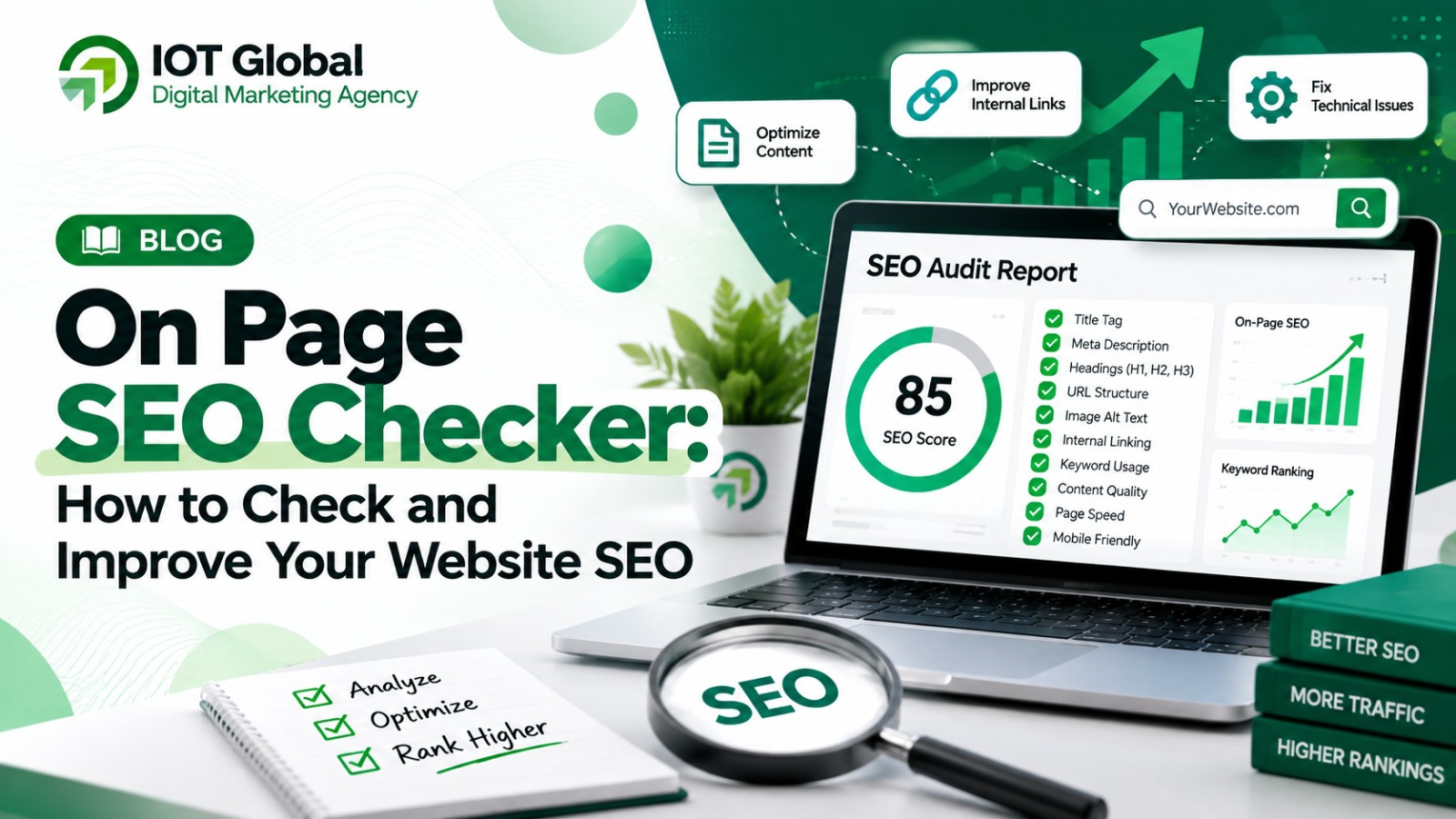
An on page SEO checker can help you identify problems with important SEO elements such as your title tag, meta description, headings, content, images, internal links, URLs and other on-page factors.
The good news is that many of these elements can be reviewed and improved without making major changes to your entire website.
In this guide, we’ll explain:
- What an on page SEO checker is
- Why on-page SEO matters
- What an SEO checker should analyze
- How to perform an on-page SEO audit
- Common on-page SEO mistakes
- How to fix SEO issues
- How to use a free SEO checker
- How on-page SEO fits into a broader digital marketing strategy
If you want to check your website immediately, you can also use the IOT Global Free SEO Checker.
What Is an On Page SEO Checker?
An on page SEO checker is a tool that analyzes the SEO elements of a webpage and identifies potential optimization issues.
Instead of manually inspecting every element of your webpage, an SEO checker can help you review important areas from one place.
Depending on the tool, an on-page SEO analysis may look at:
- SEO title
- Meta description
- H1 heading
- H2 and H3 headings
- Content
- Keyword usage
- URL
- Images
- Image alt text
- Internal links
- External links
- Canonical URL
- Robots directives
- Indexability
- Structured data
- Other technical and page-level SEO factors
The purpose of an SEO checker isn’t simply to achieve a perfect score.
The real purpose is to find problems, prioritize improvements and make your webpage more useful and understandable for both users and search engines.
Why Is On-Page SEO Important?
On-page SEO helps search engines understand what your webpage is about.
Imagine you have a webpage targeting:
“Digital Marketing Agency in Delhi”
A properly optimized page might include:
- a relevant title,
- a descriptive URL,
- a clear H1,
- useful supporting headings,
- comprehensive content,
- relevant internal links,
- optimized images,
- and a clear call to action.
These elements provide context about the subject and purpose of the page.
However, on-page SEO alone does not guarantee Google rankings.
Search visibility depends on many factors, including relevance, content quality, technical accessibility, competition, links and other signals.
That’s why an on page SEO checker should be treated as a diagnostic tool rather than a ranking guarantee.
What Does an On Page SEO Checker Check?
A good on-page SEO audit should cover the major elements that you can control on a webpage.
Let’s examine the most important ones.
1. SEO Title
The title tag is one of the first elements you should check.
It tells users and search engines what the page is about.
For example:
Poor title
Home | Company Name
More descriptive title
Digital Marketing Agency in Delhi NCR | IOT Global
The second title provides much more information about the page.
Your SEO title should be:
- Relevant to the page
- Clear
- Descriptive
- Unique
- Naturally written
- Focused on the page’s search intent
Avoid inserting the same keyword repeatedly just because you’re trying to optimize for SEO.
2. Meta Description
A meta description provides a short summary of a webpage.
For example:
Learn how an on page SEO checker can identify website SEO issues and discover practical ways to improve your titles, content, headings, images and internal links.
Your meta description should accurately represent the content users will find on the page.
Check whether your page has:
- A relevant description
- Unique text
- Clear messaging
- A useful summary
- A natural call to action where appropriate
Remember that Google may generate a different search snippet depending on the query and page content.
3. H1 Heading
Your H1 should clearly communicate the primary topic of your webpage.
For this article, a suitable H1 is:
On Page SEO Checker: How to Check and Improve Your Website SEO
When reviewing a page, ask:
- Is the main topic immediately clear?
- Does the H1 accurately describe the page?
- Is the heading useful to visitors?
- Does the page have a logical heading structure?
Your H1 shouldn’t exist only for keyword placement.
It should help the reader understand what the page is about.
4. H2 and H3 Headings
Long webpages become much easier to read when they’re organized with meaningful headings.
For example:
H1: On Page SEO Checker
H2: What Is an On Page SEO Checker?
H2: Why Is On-Page SEO Important?
H2: What Does an On Page SEO Checker Check?
H3: SEO Title
H3: Meta Description
H3: H1 Heading
H3: Image SEO
H3: Internal Linking
This structure makes your content easier to scan and helps communicate the relationships between different sections.
5. Keyword Optimization
Your target keyword for this article is:
on page SEO checker
It can naturally appear in:
- Title
- H1
- Introduction
- Relevant subheadings
- Body content
- Image alt text when genuinely descriptive
- Internal link anchors where appropriate
- URL
But don’t try to repeat it in every paragraph.
Google doesn’t need to see the exact phrase dozens of times to understand the subject of your article.
Instead, cover the topic thoroughly and naturally use related terms such as:
- SEO audit
- SEO analysis
- website SEO
- SEO optimization
- technical SEO
- search engine optimization
- website audit
6. Search Intent
Before optimizing a page, understand why someone searched for the keyword.
Someone searching for:
on page SEO checker
may want to:
- find an SEO checking tool,
- audit a webpage,
- understand on-page SEO,
- identify SEO problems,
- improve their Google visibility,
- or learn how to optimize a page.
Therefore, a useful article shouldn’t simply define on-page SEO.
It should actually help the reader check and improve their website.
That’s why including a practical SEO checker CTA is valuable.
Check Your Website SEO for Free
If you want to identify potential SEO issues on your website, you can use the IOT Global Free SEO Checker.
👉 Check Your Website With the Free SEO Checker
Instead of manually reviewing every SEO element, start by analyzing your website and then prioritize the issues that require attention.
7. URL Optimization
Your URL should clearly communicate what the page is about.
For this article:
iotglobal.agency/on-page-seo-checker/
is much easier to understand than a URL containing unnecessary parameters or random numbers.
A good URL should generally be:
- Descriptive
- Simple
- Relevant
- Easy to read
Avoid changing established URLs unnecessarily, especially if a page already has backlinks or search visibility.
8. Image SEO
Images are another area worth checking during an on-page SEO audit.
Review:
- Image file names
- Alt text
- Image dimensions
- File size
- Image format
- Relevance to surrounding content
For example:
Poor alt text
image001.jpg
Better alt text
on page SEO checker website audit dashboard
The alt text should describe the image appropriately rather than being used as a keyword-stuffing technique.
9. Internal Links
Internal links connect different pages on your website.
They can help users discover related information and help search engines understand your site’s structure.
For example, this article can naturally link to:
- Your homepage
- Free SEO Checker
- SEO-related blog posts
- Digital marketing services
- Case studies
- Other relevant resources
For your website, you can use contextual anchor text such as:
digital marketing agency
to link to your homepage:
IOT Global – Digital Marketing Agency
This is more natural than repeatedly using the exact same commercial anchor text throughout your website.
10. External Links
External links can provide additional context and supporting information.
For SEO articles, authoritative sources such as Google’s official documentation can be useful when explaining search engine requirements.
Don’t add external links simply to increase the number of links on a page.
Every link should have a purpose.
11. Canonical URL
A canonical URL tells search engines which version of a webpage should generally be treated as the preferred URL when multiple URL versions exist.
During an SEO audit, check that your canonical:
- Exists where appropriate
- Uses the correct URL
- Uses HTTPS
- Isn’t accidentally pointing to another page
- Matches your preferred URL structure
Canonical issues can become particularly important on websites with parameters, filters, duplicate pages or multiple URL variations.
12. Indexability
One of the most important SEO checks is whether search engines can access and index your page.
You could have excellent content, an optimized title and perfect internal links, but an accidental noindex directive could prevent a page from appearing in search results.
Check for:
noindex- Incorrect robots directives
- Crawl restrictions
- Redirect issues
- Server errors
- Canonical problems
Always check indexability before spending significant time optimizing minor elements.
13. Structured Data
Structured data provides additional information about the content of a webpage in a format that search engines can understand.
Depending on your page, structured data may be appropriate for things such as:
- Articles
- Organizations
- Products
- Breadcrumbs
- Local businesses
Only use structured data that accurately represents the content on the page.
Adding irrelevant markup simply for SEO purposes is not a good strategy.
14. Mobile Experience
A webpage should work well across different screen sizes.
When auditing a page, check:
- Text readability
- Navigation
- Buttons
- Forms
- Images
- Spacing
- Horizontal scrolling
- Mobile page speed
A page that looks excellent on desktop but is difficult to use on mobile can create a poor user experience.
How to Perform an On Page SEO Audit
You don’t need to make SEO complicated.
Follow this process.
Step 1: Select an Important Page
Start with a page that matters to your business.
For example:
- Homepage
- Service page
- Product page
- Landing page
- High-traffic blog
- Lead-generation page
Step 2: Run an SEO Check
Use an on page SEO checker to analyze the URL.
For a free starting point:
Use the IOT Global Free SEO Checker
Step 3: Review the Findings
Look for problems related to:
- Title
- Meta description
- Headings
- Content
- Images
- Links
- Indexability
- Canonical
- Technical elements
Step 4: Prioritize the Important Issues
Not every warning has the same importance.
For example, an accidental noindex can be much more important than a minor image optimization opportunity.
A practical priority order can be:
- Indexability problems
- Major technical issues
- Search intent/content problems
- Title and heading issues
- Internal linking
- Image optimization
- Smaller on-page improvements
Step 5: Fix the Issues
Make the changes in your CMS or website code.
Then check the page again.
On Page SEO Checklist
Before publishing an important webpage, use this checklist.
| Element | What to Check |
|---|---|
| SEO Title | Relevant, descriptive and unique |
| Meta Description | Useful and relevant |
| H1 | Clearly communicates the topic |
| H2/H3 | Logical hierarchy |
| Target Keyword | Used naturally |
| Search Intent | Content satisfies the query |
| Content | Helpful and comprehensive |
| URL | Simple and descriptive |
| Images | Relevant and optimized |
| Alt Text | Descriptive where appropriate |
| Internal Links | Relevant pages connected |
| External Links | Useful supporting resources |
| Canonical | Correct preferred URL |
| Indexability | Page is eligible for indexing |
| Robots | No accidental blocking |
| Structured Data | Accurate where applicable |
| Mobile UX | Easy to use |
| Page Experience | Fast and usable |
Common On Page SEO Mistakes
1. Keyword Stuffing
One of the most common mistakes is repeating a keyword excessively.
For example:
Our on page SEO checker is the best on page SEO checker for checking on page SEO because this on page SEO checker checks on page SEO.
This is unnatural and provides little value.
Write for humans first.
2. Writing Thin Content
Adding 500 words to a page doesn’t automatically make it better.
Instead, answer the questions users actually have.
For an on-page SEO checker article, that means explaining:
- What the tool does
- What it checks
- How to use it
- How to interpret results
- How to fix common problems
3. Ignoring Internal Links
A website shouldn’t be a collection of disconnected pages.
Connect related resources where the link genuinely helps the reader.
4. Focusing Only on SEO Scores
A score can be useful as a diagnostic indicator, but don’t optimize your entire website simply to turn every metric green.
A page with a “perfect” score can still fail to satisfy search intent.
5. Forgetting About Conversion
SEO traffic is valuable, but businesses usually want more than traffic.
A visitor should have a clear next step.
For example:
Learn → Analyze → Fix → Contact/Convert
That’s why your Free SEO Checker can act as a natural bridge between informational SEO content and your broader digital marketing services.
On Page SEO vs Technical SEO
These terms are related but different.
On-Page SEO
Primarily focuses on webpage-level elements such as:
- Content
- Titles
- Headings
- Images
- Internal links
- URLs
- Metadata
Technical SEO
Focuses more broadly on website accessibility and infrastructure, including:
- Crawling
- Indexing
- Site architecture
- Sitemaps
- HTTPS
- Rendering
- Performance
Off-Page SEO
Focuses on signals outside your website, including:
- Backlinks
- Digital PR
- Brand mentions
- Authority-building activities
A comprehensive SEO strategy considers all of these areas.
How On-Page SEO Supports Digital Marketing
SEO should not operate separately from your overall digital marketing strategy.
For a business, organic search can bring potential customers to:
- Service pages
- Landing pages
- Product pages
- Blog articles
- Case studies
- Lead-generation pages
But getting visitors is only one part of the process.
Your website also needs:
- Clear messaging
- Strong landing pages
- Relevant offers
- Calls to action
- Conversion optimization
- Trust signals
This is where SEO connects with broader digital marketing services.
If you’re looking for a team that combines search visibility with broader online growth strategies, explore IOT Global’s digital marketing agency services.
How Often Should You Run an On Page SEO Check?
There isn’t one schedule that works for every website.
Consider running an SEO check when:
- You publish a new page
- You redesign your website
- You update important content
- You change a URL
- You modify your website template
- Organic traffic changes significantly
- Search impressions decline
- You launch a new landing page
For important commercial pages, periodic audits can help identify issues before they become larger problems.
Can an On Page SEO Checker Improve Google Rankings?
An SEO checker itself does not improve rankings.
It helps you identify opportunities and problems.
For example, an audit might reveal:
- A missing title
- Poor heading structure
- Broken internal links
- Missing alt text
- An accidental
noindex - Duplicate metadata
- Weak internal linking
Fixing relevant problems can improve the quality and accessibility of your website, but there is no guarantee that making a particular change will result in a specific Google ranking.
SEO is an ongoing process.
Free On Page SEO Checker: Start Your Audit
If you’re searching for an on page SEO checker, don’t just read about SEO problems—check your own website.
Use the IOT Global Free SEO Checker to start your website analysis:
Check Your Website With IOT Global’s Free SEO Checker
After identifying issues, prioritize the problems that have the greatest potential impact on your website’s accessibility, relevance, user experience and conversions.
Frequently Asked Questions
What is an on page SEO checker?
An on page SEO checker is a tool that analyzes webpage-level SEO elements such as titles, meta descriptions, headings, content, images, links, URLs and other SEO factors.
Is there a free on page SEO checker?
Yes. You can use the IOT Global Free SEO Checker as a starting point for analyzing your website.
How do I check my on-page SEO?
Enter your webpage into an SEO analysis tool, review its title, meta description, headings, content, images, links, indexability and other important SEO elements, then fix the issues identified.
What should I check first in an SEO audit?
Start with indexability and major technical problems. Then review search intent, content quality, titles, headings, internal links and other on-page elements.
Does keyword density matter for SEO?
There is no universal keyword-density percentage that guarantees rankings. Use keywords naturally and focus on creating useful content that satisfies search intent.
Can I use an on page SEO checker for blog posts?
Yes. Blog posts can be analyzed for titles, headings, content, images, links, URLs, metadata and other SEO elements.
How often should I check my website SEO?
Run an audit when publishing or substantially updating important pages, redesigning your website, changing URLs or when you notice significant changes in organic search performance.
Final Thoughts
An on page SEO checker can make website optimization much easier by helping you identify problems that might otherwise be missed.
But don’t treat SEO as a game where the goal is simply to get a 100/100 score.
The better approach is to:
- Understand search intent
- Create genuinely useful content
- Optimize titles and headings
- Improve internal linking
- Make images accessible
- Check indexability
- Maintain a clean website structure
- Improve mobile usability
- Monitor your organic performance
- Connect SEO with your broader digital marketing strategy
If you’re ready to analyze your website, start with the IOT Global Free SEO Checker.
And if you need broader support with SEO, paid advertising, performance marketing and digital growth, explore IOT Global.
SEO Internal Linking Plan for This Article
Because I couldn’t reliably retrieve your /blogs/ archive, I recommend not publishing made-up blog links.
Once your blog URLs are available, place internal links approximately here:
Link 1 — Homepage
Anchor:
digital marketing agency
Destination:
https://iotglobal.agency/
Suggested placement: Section “How On-Page SEO Supports Digital Marketing”
Link 2 — Free SEO Checker
Anchor:
free SEO checker
Destination:
https://iotglobal.agency/free-seo-checker/
Suggested placement: Introduction + dedicated tool CTA.
Link 3 — Previous SEO Audit Article
If your existing blog titled “How to Do an SEO Audit of a Website” is still live, this would be a highly relevant contextual link.
Suggested anchor:
complete SEO audit
Place it in the section discussing the difference between an on-page SEO check and a broader SEO audit.
Link 4 — Relevant Educational SEO Article
If your existing SEO for Educational Institutes article is live, don’t force it into this article unless the surrounding paragraph discusses education-sector SEO. Internal links should be contextually relevant rather than added merely for link quantity.
Recommended Featured Image SEO
Filename:
on-page-seo-checker-complete-guide.jpg
Alt text:
On page SEO checker for analyzing website SEO performance
Image title:
On Page SEO Checker - Complete Website SEO Guide
Recommended dimensions:
1920 × 1080 px
Featured image text:
ON PAGE SEO CHECKER
Check. Fix. Optimize.
A Complete Guide to On-Page SEO
One important SEO recommendation
For this article, I would not over-optimize the exact phrase on page seo checker. Use it naturally, then build topical relevance around related concepts such as on-page SEO audit, website SEO analysis, SEO optimization, title tags, meta descriptions, internal linking, indexability and technical SEO.
That gives the article a much better chance of covering the broader search intent instead of looking like a page written solely to repeat one keyword.